How to Delete Your Data in Stick War: Saga
Step 1
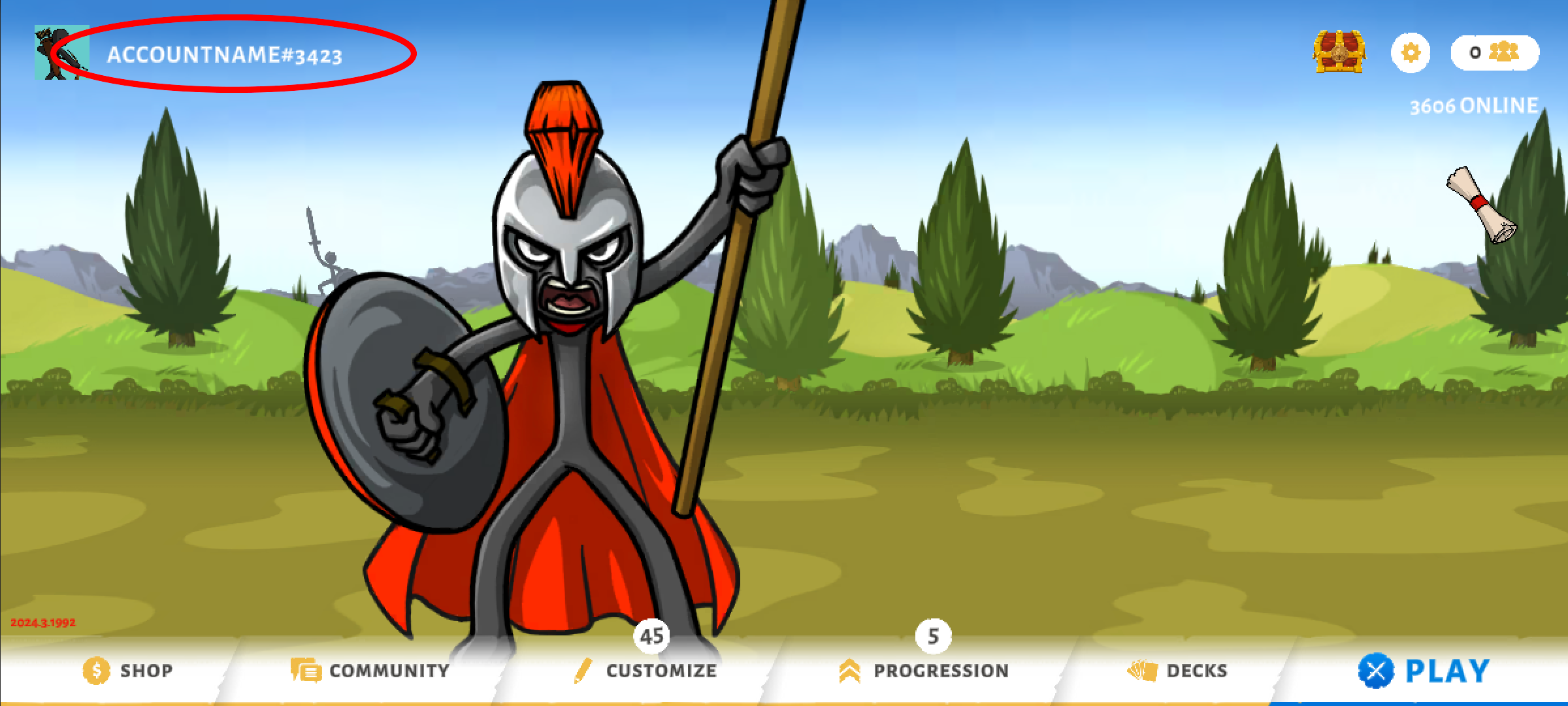
Open Stick War: Saga app on your phone. Navigate to the Account Menu by clicking your profile name in the top left corner.
Step 2
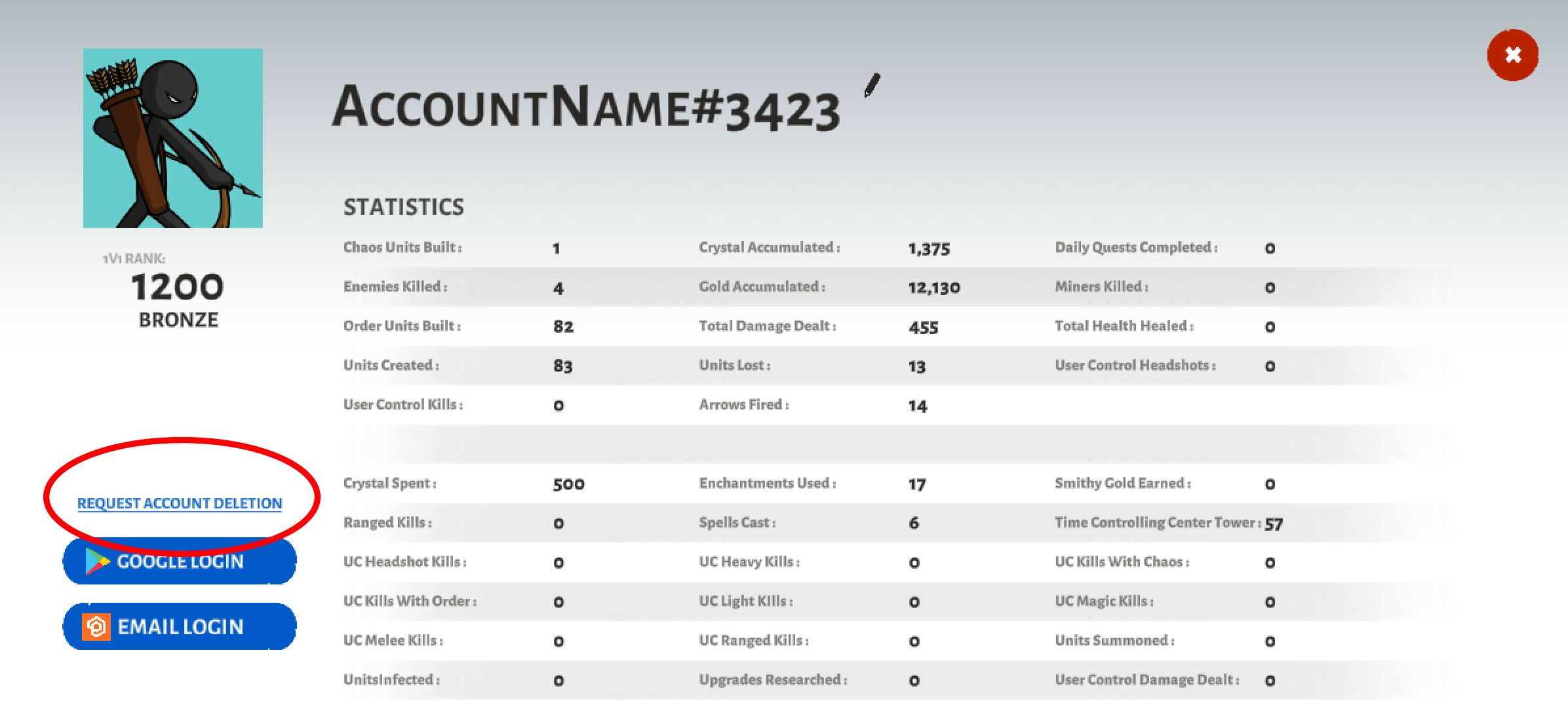
Hit the Delete Account button in the bottom left corner. Accept the confirmation prompt.
If you have any concerns, please email us at mobile@maxgames.com.