How to Delete Your Data in Stick War: Legacy
Step 1
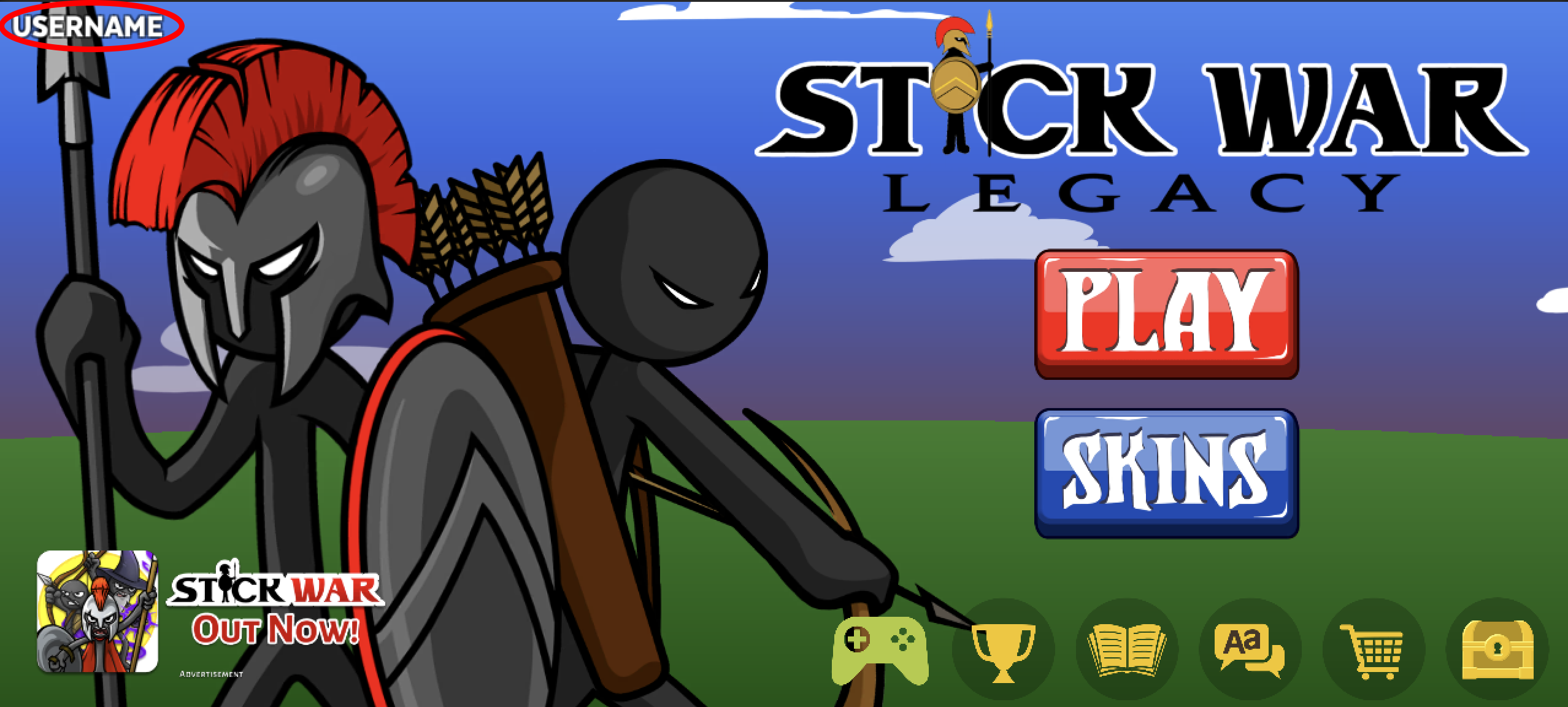
Open Stick War: Legacy app on your phone. Navigate to the Account Menu by clicking your profile name in the top left corner.
Step 2
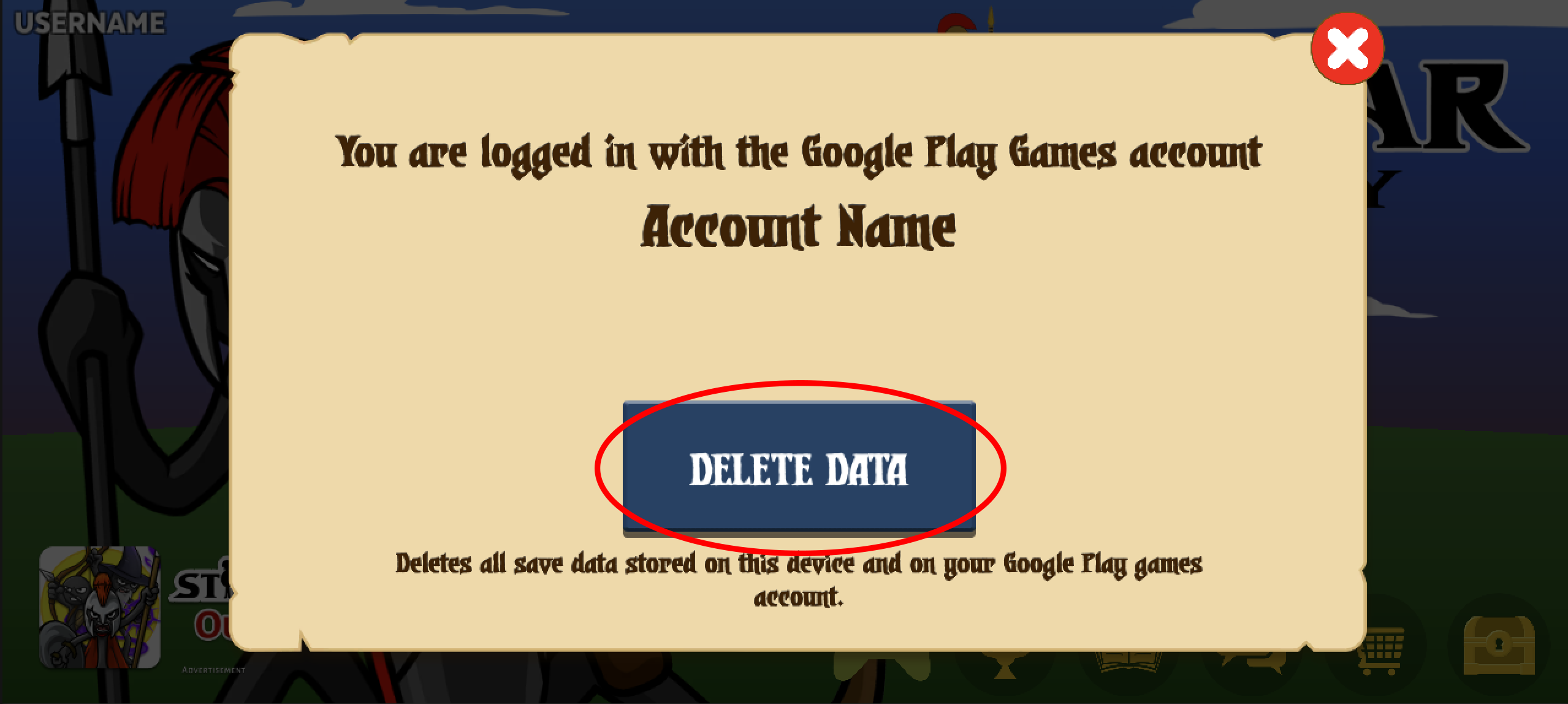
Hit the Delete Data button and accept the confirmation prompt.
For account deletion outside of the app please email us at mobile@maxgames.com. Please include the email address associated with any Google Play account and your device id (optional).